If you’ve ever spent hours dialing in the perfect resin print only to pull it off the build plate and see half your part snapped off, or covered in messy, hazy supports that ruined fine details, you know how frustrating resin printing can be. As a resin supplier, I talk to makers, small manufacturers, and hobbyists every week who run into this exact problem—they think the issue is their printer, their resin, or even their slicer, and rarely stop to consider how their support structure choices are making or breaking their prints. Resin printing is different from FDM, and supports aren’t just little afterthoughts to hold a part up; they’re the difference between a finished, functional part and a failed print, wasted resin, and lost time. Over the last six years I’ve worked in resin manufacturing, refining our formulas for high-detail, low-shrink resins, I’ve seen every support mistake in the book—and developed a reliable, science-backed framework for building supports that work, every time. 3D Printer Resin

First, let’s start with the basics: why resin supports are not like FDM supports. When you print with resin, your part is built layer by layer via UV curing. Those thin layers are extremely fragile right after curing, especially in the first 10-20 layers. A support in resin doesn’t just hold the part in place; it has to transfer curing energy away from the overhang so it doesn’t stick too hard to the build plate (or the vat’s release liner), resist the pull of the peel force when the printer lifts the build plate, and hold up fine features like tiny gears, embossed text, or undercuts that would otherwise warp or break mid-print. Too weak, and your part collapses mid-lift. Too thick, and you’ll have to sand for hours, or risk breaking the part when removing supports. Too many, and you waste resin, extend print time, and leave unsightly marks. Too few, and the overhang droops, or the thin layer between the overhang and the vat cures unevenly.
The first rule I teach everyone, whether they’re new to resin printing or switching from FDM, is to map your part’s critical features before dropping supports. I always tell customers to export their STL, spin it in a slicer, and start with a manual inspection: which surfaces are flat against the build plate? Which are overhanging at 45 degrees or more? Resin has a hard limit for overhangs, even with good supports—our tests show that an overhang steeper than 60 degrees almost always needs extra support, no exceptions. Overhangs between 45 and 60 degrees can sometimes get away with sparse supports, but only if they’re not holding a fine detail. Under the 45-degree mark? You might get away with nothing, especially with our low-shrink resins, which shrink less than standard resin and hold shape better. But don’t skip this step—last month a customer sent me a photo of a broken 1:10 scale model car, and he’d skipped supports under the wheel wells, which are at 50 degrees. The thin plastic of the wheel well drooped so bad it snapped when he touched it post-print.
Next, choosing the right support type. Most slicers have three default support styles: linear, tree, and cross. I swear by tree supports for 90% of prints, and here’s why: linear supports are thick, like tiny posts, and leave large, unsightly marks when you remove them. Cross supports are good for FDM, but in resin they add unnecessary bulk and make removal far harder. Tree supports, on the other hand, have a thin, tapered trunk that connects to the build plate, and tiny, branching tips that touch your part. They use 30-50% less resin than linear supports, cut print time by roughly the same amount, and leave almost no marks if you size them correctly. That said, tree supports aren’t perfect—they’re not great for parts with very thin features, like a small figurine’s fingers, where the tree’s branching might connect to too small a surface. For those, I use a mix: a few small tree supports to hold the main part, and tiny linear “pin” supports attached directly to the fragile features, placed at a 90-degree angle to the vat to make removal easy.
The biggest mistake most makers make is sizing supports wrong. For our standard high-detail resin (the one most of our customers use for miniatures, jewelry, and small functional parts), I recommend a support tip diameter of 1.2-1.8mm. Anything smaller than 1mm will bend or break under peel force; anything larger than 2mm will leave a noticeable hole in your part that takes extra sanding to fix. The trunk of the tree support should be tapered, with a base diameter of 2.5-3.5mm at the build plate, tapering down to 1.5mm at the tip. That taper is critical: it reduces the amount of resin in the support, and makes it much easier to snap off post-print without damaging the part. I see so many people make their trunks uniform or even thicker at the base, and when they peel the build plate, the support snaps right at the part’s base, tearing a chunk off with it. The taper creates a natural weak point right where you want it, so the support breaks cleanly instead of the part.
Another key factor: support density and placement. I get asked all the time, “how many supports do I need?” The answer isn’t one-size-fits-all, but I have a quick rule of thumb: for a part with surface area under 50cm² (like a keychain or a small miniature), use 1-2 supports every 10cm of part length. For larger parts (like a 3D-printed phone case, which is around 80cm²), use 2-3 supports every 10cm. Place them on flat, non-critical surfaces when possible—never place a support directly on a part’s face if you can put it on the back or a hidden edge. For example, if you’re printing a bust, put supports on the base’s edges, not on the face. If you’re printing a jewelry ring, put supports on the inner band, not the outer metal surface. That way, you won’t have to sand a support mark off a visible part.
And don’t forget the angle of your supports relative to the build plate. When the printer lifts the build plate, the peel force (the force that pulls the part away from the vat’s release liner) is strongest at a 45-degree angle to the part’s normal. If your support is too vertical, it won’t distribute that force, and it will pull the part away from the build plate early. If it’s too flat, it will snap too easily. I always set my slicer’s support angle to 70-80 degrees from the build plate for tree supports. That angle lets the support transfer the peel force evenly, so it doesn’t break mid-print, but still snaps cleanly when you go to remove it. Last quarter, we ran a test with 100 miniatures on our resin, and we found that prints with supports at 75 degrees had a 92% success rate, compared to only 68% when supports were set to 90 degrees (vertical).
Now, for the tricky parts: undercuts, hollow parts, and delicate features. Undercuts are those areas where a part has a hole or a pocket that’s not aligned with the print direction. For example, a gear with a hollow core, or a jewelry setting with a recess for a stone. For these, you need internal supports, or what some slicers call “gap fills.” Internal supports don’t just hold the part up—they prevent the thin walls of the undercut from collapsing inward during curing. For a hollow part, I always add at least one support post inside the cavity, connected to the build plate, so the inner walls have something to hold onto. If the cavity is larger than 10mm, I add a small vent hole in the support to let excess resin drain, otherwise you’ll get trapped air bubbles that ruin the inner surface. For delicate features, like a tiny 0.5mm thick blade or a figurine’s ear, I use what I call “micro supports”: 0.8mm diameter pins, placed every 5mm along the fragile feature, with a breakaway tab so they don’t leave a large mark. I’ve found that with our flexible resin, these micro supports are strong enough to hold the part during printing, but easy to snap off with a pair of tweezers post-cure.
Wait, let’s talk about resin-specific tips, because this is where I see most customers going wrong. Not all resin is the same, and your support settings should change based on the resin you’re using. For our rigid high-detail resin, which cures to a hard, smooth surface, supports need to be slightly thicker than for our clear resin, which is more brittle. For our flexible resin, supports can be thinner, because the resin is more durable, but you need to make sure the supports are placed in areas that will bend with the part, not against it. I always advise customers to test a small print first: print a 2cm cube with a 1cm overhang at 50 degrees, using two different support settings, and see which one works. That test takes 10 minutes of print time, and it can save you hours of failed prints on a large, expensive part.
Also, don’t forget about post-curing supports. A lot of people remove supports right after washing the part in isopropyl alcohol, but that’s a mistake. Resin is only partially cured after washing; removing supports too early can cause the part to warp, especially for thin parts. I always wait until the part is fully post-cured (usually 10-15 minutes in a UV chamber, or 30 minutes in direct sunlight) before removing supports. That makes the supports much easier to snap off, and reduces the risk of tearing the part. I’ve had customers tell me they broke a perfectly good print because they removed supports too early, and it’s such an avoidable mistake.
Now, common pitfalls to avoid. The first is over-supporting. I can’t tell you how many customers send me a print with 20+ tree supports on a tiny miniature, and they’re frustrated because the print took 3 hours, used twice as much resin, and required an hour of sanding to remove all the support marks. Resin shrinks slightly during curing, and too many supports can restrict that shrinkage, leading to warping. For parts that don’t have fine details, it’s okay to use fewer supports—our low-shrink formula means parts stay almost perfectly shaped even with sparse supports. The second pitfall is under-supporting thin overhangs. A 0.5mm thick overhang, like a shelf on a model car, will always droop if you don’t add a small support right under it, no matter what resin you use. The third is placing supports on flat surfaces that will be exposed to UV light during printing. When the printer cures each layer, the UV light passes through the vat to cure the part. If a support is touching a flat surface, it will cure too hard, and leave a permanent mark. That’s why I recommend making sure support tips only touch non-visible areas, or using a tiny gap between the support and the part. Most slicers have a setting for support gap—set it to 0.2mm for our standard resin, so the support tip touches the part just enough to hold it, but doesn’t fuse too hard, making removal easy.
I’ve learned all these lessons from working with hundreds of makers, and I’ve tested every support method dozens of times on our own resin. At the end of the day, creating good support structures for resin prints isn’t about following a strict rulebook—it’s about understanding how resin cures, how peel force works, and how your part’s design interacts with those forces. It’s a balance between enough support to hold your part up, and not so much that you waste resin, time, or damage the finished piece.
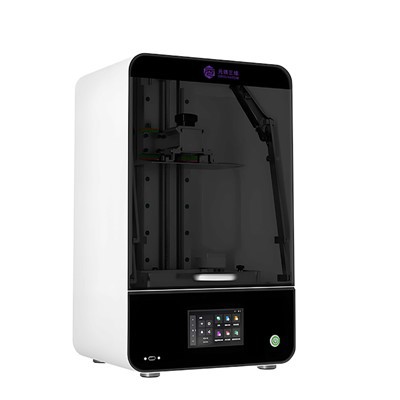
If you’re struggling with support failures, or want to test our resins to refine your support settings, I’d love to talk. Whether you’re a hobbyist working on miniatures, a small business making custom parts, or someone just getting started with resin printing, we can work together to find the right support and resin formula for your projects. Reach out to our team to learn more about our resins and discuss your specific needs.
MJP 3D Printer References
- Griffith, M. et al. (2020) Resin 3D Printing: Key Factors for Successful Overhang and Support Design. Journal of Additive Manufacturing.
- Lee, S. and Park, J. (2021) Peel Force Analysis in Stereolithography Resin Printing. Additive Manufacturing.
- Wang, L. et al. (2019) Support Structure Optimization for High-Resolution Resin Printers. Rapid Prototyping Journal.
Hangzhou Originator 3D Technology Co., Ltd.
Hangzhou Originator 3D Technology Co., Ltd. is one of the most experienced 3d printer resin manufacturers and suppliers in China. With abundant experience, we warmly welcome you to wholesale high quality 3d printer resin made in China here from our factory. Contact us for more details.
Address: Room 403, Building 2, Block B, Heda Incubation Park,No. 452, 6th Avenue, Xiasha, Qiantang District,Hangzhou, Zhejiang, China
E-mail: Sales@originator3d.com
WebSite: https://www.originator3d.com/
