If you’ve ever worked in industrial process automation, you know a radar level meter is only as good as its calibration. As a radar level meter supplier, I’ve seen firsthand how poorly calibrated devices skew inventory counts, disrupt production, and even cause safety hazards in facilities ranging from chemical processing plants to food and beverage storage tanks. Calibration isn’t just a one-time factory step—it’s an ongoing process that ensures your meter keeps delivering accurate, reliable data over its lifespan. Let’s break down exactly how to calibrate a radar level meter properly, from pre-calibration prep to post-calibration verification, with actionable tips I’ve learned from working with hundreds of clients over the years. Radar Level Meter

First, let’s clarify what radar level meter calibration actually means, because it’s easy to mix it up with other maintenance tasks. Calibration is the process of aligning your meter’s measurement output (in m, ft, or whatever unit you use) with a known, physical reference level in the tank. Unlike ultrasonic or pressure-based level sensors, radar meters use electromagnetic waves that are unaffected by temperature, humidity, or most vapor types, but that doesn’t make them foolproof. Factors like tank geometry, foam buildup, wave reflection from uneven product surfaces, or even incorrect mounting can throw off readings over time. That’s why scheduled calibration is non-negotiable.
Before you start any calibration, skip the temptation to grab the wrench and pull the meter out right away. Pre-calibration prep is what separates a smooth, accurate calibration from a frustrating, error-prone mess. The first step here is to lock down two critical pieces of information: your meter’s model-specific parameters and the tank’s actual physical dimensions. Different radar meter brands have different settings for empty distance (also called “dead zone”), signal processing sensitivity, and beam angle. For example, a 26 GHz high-frequency radar I supply has a narrower beam angle (8 degrees) that works great for small tanks, while a 6 GHz low-frequency model is better for large, open silos with dusty environments. You need these specs on hand to adjust your meter correctly—if you’re not sure where to find them, your meter’s manual or our technical support team can provide them in 10 minutes flat.
Next, conduct a pre-inspection of the tank and meter to rule out obvious issues before you even adjust a setting. Climb up to the top of the tank (follow all confined space safety protocols, by the way—never skip that step) and check the mounting flange: is the radar antenna properly seated, with no gaps between the flange and the tank roof? Are there any debris, water, or old product buildup on the antenna surface that could absorb waves? Next, check the tank interior through a level sight glass or a hand-held tape measurement tool at multiple points. Look for foam layers, sloped product surfaces, or internal obstructions like agitators, heating coils, or ladders that could cause false reflections. If the antenna is dirty or the tank has a lot of foam, you may need to clean the antenna first or even adjust your measurement “window” to ignore the foam echo before calibrating—this is a common mistake I see new operators make, leading to wrong calibration results.
Now, for the core calibration process. There are two primary methods for calibrating a radar level meter: static calibration and dynamic calibration, and which one you use depends on your tank type, product, and facility’s safety rules. Let’s go through each one step by step, with pros and cons for each.
Static calibration is the most common and reliable method, especially for small to medium tanks with non-hazardous products. It’s exactly what it sounds like: you fill the tank to a known, fixed level, then adjust your meter to match that reference. Here’s how to do it safely:
- First, establish your two reference points: the “empty level” (also called the zero point) and the “full level” (span point). The empty level is the distance from the radar antenna’s face to the bottom of the tank—measure this with a tape, being precise to within 0.1 ft or 0.03 m. The full level is the distance from the antenna to the highest point of product the tank is designed to hold, which you can find on your tank’s nameplate.
- With the tank empty (and confirmed empty via the sight glass), access your meter’s programming interface. Most modern radar meters have a local display on the top of the unit, or you can connect a laptop via Bluetooth or a cable (again, check your manual for your model’s connectivity). Navigate to the calibration menu, select “Zero Level” or “Empty Calibration,” and input your measured empty distance. Save that setting—this tells the meter where “0%” level is.
- Next, carefully fill the tank to your full level reference. Take your time here, especially with liquids—rushing can lead to an inaccurate fill point. Once the product is stable (wait 10 to 15 minutes to let ripples settle), confirm the level with a tape measure at the sight glass. Go back to the meter’s calibration menu, select “Span Level” or “Full Calibration,” and input your measured full distance. Save that setting.
- Do a quick check: if your meter is working, it should display a level that matches the product height minus the empty distance. For example, if your empty distance is 10 ft and you filled the tank to 30 ft of product, the meter should show 20 ft. If it’s off, double-check your input numbers—easy to mix up empty and full, or miscalculate the tank’s total height.
Static calibration works well for most applications, but it’s not an option for large silos, hazardous chemicals, or tanks that can’t be drained or filled easily. That’s where dynamic calibration comes in, and it’s equally important to master. Dynamic calibration uses the actual movement of the product to align the meter, no need to hit exact zero or full points. Here’s how that works:
- For dynamic calibration, you need a consistent rate of product flow into or out of the tank. First, measure the flow rate of your product with a flow meter (on the inlet or outlet line) and confirm it’s stable for at least 30 minutes.
- Take two initial level readings from the radar meter, 10 minutes apart, to get a baseline movement. For example, if the level drops 2 ft in 10 minutes, that’s a rate of 0.2 ft per minute.
- Compare that rate to the expected rate from your flow meter. If the flow meter says product is leaving at 0.2 ft per minute, your radar meter’s calculated rate should match that. If it doesn’t, adjust the meter’s signal processing settings to tighten or loosen its echo filtering. For dusty silos, for example, you may need to increase the signal strength threshold to ignore dust echoes, which is a common adjustment I guide customers through for dry bulk products.
The biggest downside of dynamic calibration is that it’s less precise than static—expect a ±1% margin of error for dynamic, vs. ±0.1% for static—so it’s ideal for bulk inventory tracking, not for precision batch processes like pharmaceutical manufacturing where even 0.5% error can cause costly mistakes.
Once you’ve completed your calibration, don’t just wrap up and walk away—post-calibration verification is critical to make sure your meter is working long-term. This step is where a lot of facilities cut corners, leading to calibration drift within a few weeks or months. First, take three or more spot level readings with a tape measure at different points around the tank, then compare them to the radar meter’s readings. If they’re all within 0.5% of each other, you’re good to go. If there’s a larger gap, go back and check for tank obstructions—maybe the radar beam is hitting a ladder on one side, leading to a false low reading. Also, test the meter at the midpoint level, not just zero and full; some meters calibrate well at the extremes but are off in the middle, which is a common issue with tanks that have sloped product surfaces.
I always recommend setting a regular calibration schedule, too—don’t wait for a level alarm to sound or inventory counts to mismatch. For liquids in indoor tanks, calibrate every 12 to 18 months; for dry bulk silos in dusty outdoor environments, calibrate every 6 to 9 months; for hazardous chemical tanks, calibrate every 6 months, or after any tank maintenance that involves removing the antenna or altering internal components.
Now, let’s talk about common calibration mistakes that I see clients make all the time, because avoiding these can save you hours of downtime and inaccurate readings. The first big mistake is calibrating without accounting for antenna buildup. If you’ve got a thin layer of product or even dust on your antenna, the radar wave will reflect off that instead of the product surface, leading you to input the wrong level points. Always clean the antenna before calibration with a soft, non-abrasive cloth—no chemicals, as they can damage the antenna’s coating.
Another common mistake is ignoring dead zone. Every radar meter has a dead zone, the area close to the antenna where it can’t measure level because the wave is too strong or hasn’t spread out enough. If you try to calibrate a level that’s within the dead zone, your readings will be wildly inaccurate. Most 26 GHz radars have a dead zone of 10 to 18 inches, so make sure your reference levels are outside that range.
Finally, don’t skip documentation. Write down every calibration step, the reference level measurements, and the meter’s output before and after. This is not just for compliance (many industries like oil and gas or food and beverage require calibration records)—it also makes future calibrations faster, because you can compare current readings to past ones to spot drift early.
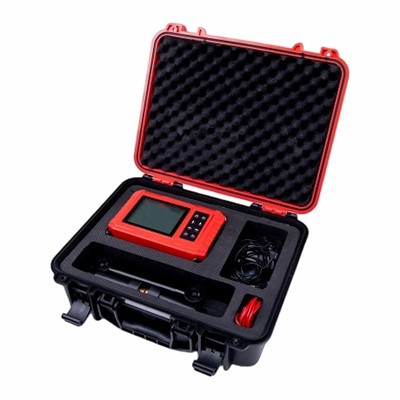
If you’re reading this and thinking, “This sounds like a lot, and I’d rather not do it wrong,” I get it. Calibration doesn’t have to be a solo project, either. As a radar level meter supplier, our technical support team has helped hundreds of clients walk through calibration over the phone, and we also offer on-site calibration services for facilities that prefer to have experts handle the work. If you’re due for calibration, or if your current radar meter has been giving inconsistent readings, reach out to our team to discuss your specific needs. We can help you choose the right calibration method for your tank, walk you through step-by-step, or schedule a service to get your measurements back on track.
Ultrasonic Flow Meter References
- “Radar Level Measurement: Principles, Operation, and Applications.” International Society of Automation (ISA), 2021.
- Process Measurement and Control Handbook, 5th ed. McGraw-Hill, 2020.
- “Best Practices for Calibrating Non-Contact Level Sensors.” Industrial Automation Association (IAA) Technical Bulletin, 2022.
Dalian Yheng Technology Co., Ltd.
Dalian Yheng Technology Co., Ltd. is one of the leading radar level meter manufacturers and suppliers in China, also supports customized service. We warmly welcome you to buy high quality radar level meter in stock here from our factory. Contact us for more details.
Address: F1605, NO.10 Huoju road, High-tech Industrial Zone, Dalian, China
E-mail: admin@dlyheng.com
WebSite: https://www.yhengphmeter.com/
